Which Inverter Alarms Should I Understand Before Calling a Solar Technician in Nigeria?

What Should You Do When Your Solar Inverter Shows an Alarm in Nigeria?
Not every inverter alarm means your solar system is damaged. Many alarms are warnings about low battery, overload, weak solar charging or an incorrect setting. The safest response is to record the alarm, check only conditions that are safe to observe and know when qualified technical support is required.
Quick Answer
First, photograph the exact alarm code and record the battery status, available power sources and appliances that were operating. Low-battery, overload and weak-PV warnings often point to a load, charging or configuration issue rather than immediate equipment damage. However, burning smells, damaged cables, water entry, unusual heat or repeated shutdowns require qualified support.
When Should You Stop Using the System?
If you smell burning, see damaged cables, notice water near electrical equipment or experience repeated shutdowns, stop using the system as instructed and contact a qualified technician immediately. Do not continue trial-and-error testing.
First: Record the Alarm Before Resetting Anything
Alarm names and codes vary by inverter model. “Fault 05” on one product may not mean the same thing on another. Take a clear photo of the display and record:
- The exact code or message
- Time and date of the alarm
- Battery state of charge or battery voltage shown
- Whether grid power, solar PV or a generator was available
- Which appliances were operating
- Whether the system recovered by itself or shut down completely
This gives the technician useful evidence. Repeatedly switching the inverter off and on without recording the alarm can make diagnosis harder.
Low-Battery or Low-Voltage Alarms
A low-battery alarm usually means the battery has reached the system’s protection limit or cannot provide enough power for the connected load. It does not automatically mean the battery has failed.
Possible causes include a long outage, more appliances than planned, a battery that did not fully recharge, incorrect battery settings or a large appliance starting while the battery is already low.
Safe Checks for the User
- Reduce non-essential loads, such as irons, kettles, pumps or air conditioners.
- Check whether solar PV is available and charging.
- Check whether grid or generator charging is enabled if your system uses it.
- Read the displayed battery status and note it for the technician.
Do not alter lithium-battery voltage limits, charge-current settings or communication settings unless a qualified installer has instructed you to do so. SVC lithium batteries use smart BMS management and optional app monitoring to help show battery status, but correct configuration remains essential.
Overload Alarms
An overload alarm means the connected appliances are demanding more power than the inverter can safely supply. This can happen even if normal household loads seem modest, because refrigerators, freezers, pumps, compressors and some power tools can draw high starting current.
If the alarm occurs when a particular appliance starts, switch that appliance off and test the system only with essential loads. Do not keep retrying a high-demand appliance after repeated trips.
Separate Critical and Non-Essential Loads
A good installation separates critical loads—such as lights, a router, TV, phone chargers and selected refrigeration—from non-essential loads. SVC hybrid inverter models with dual AC outputs, except the 3.5 kW model, can support this type of load-priority arrangement when the circuits are designed and labelled correctly.
PV or Solar-Charging Warnings
A PV warning may appear when solar input is low, disconnected or outside the expected operating range. Cloud cover, shading, dirty panels, a tripped isolator, loose connectors or a PV-string design issue can all reduce charging.
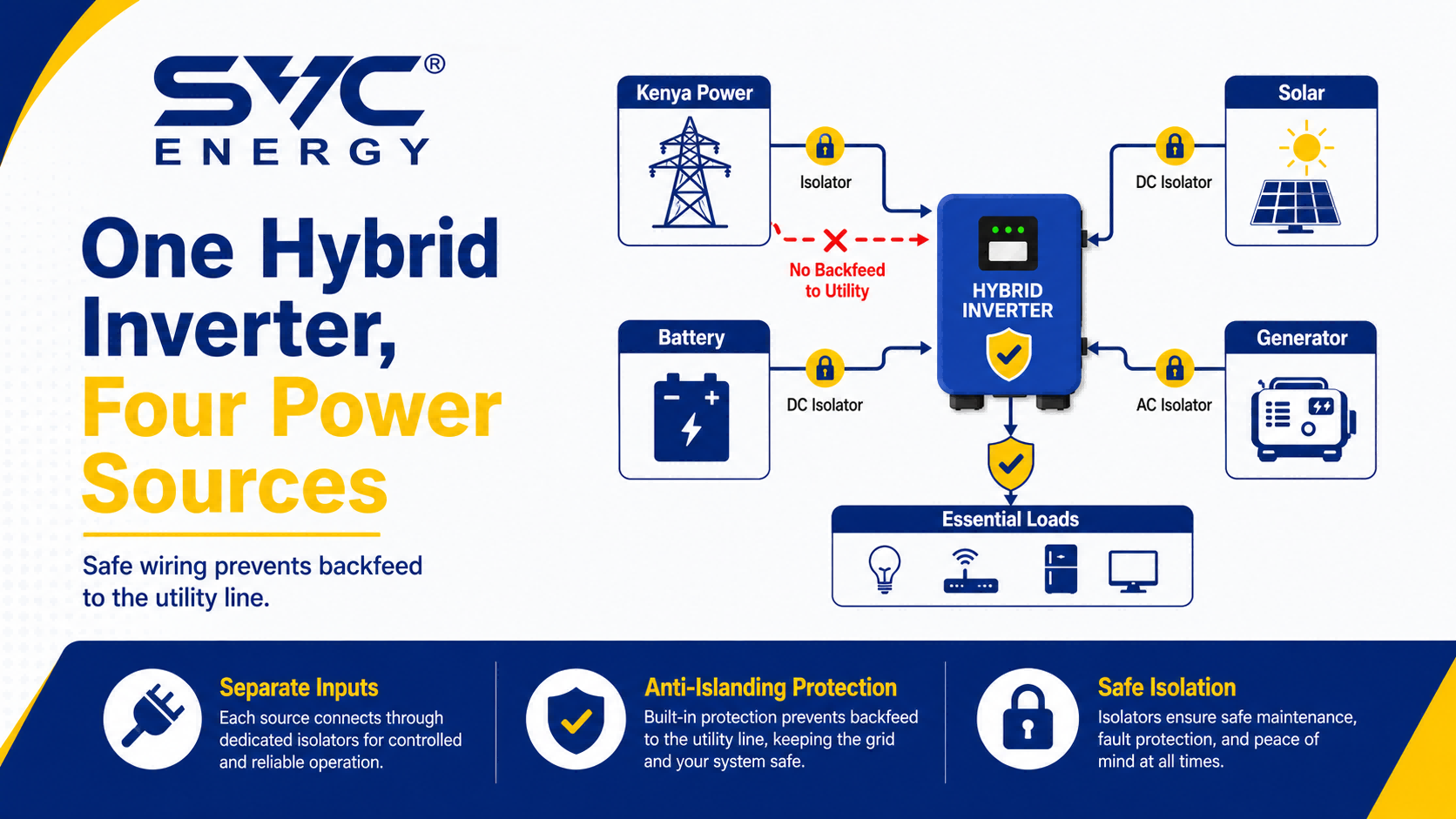
You can safely check whether the inverter display shows PV input during daylight and whether panels are visibly shaded or heavily dirty. Do not open DC isolators, touch PV wiring or disconnect connectors yourself. Solar strings can remain hazardous in daylight even when the inverter is off.
For a technician, the most helpful information is the displayed PV voltage or power, the weather conditions, and whether the warning happens every day or only at certain times.
Grid, Generator or AC-Input Alarms
Some alarms relate to unstable grid input, incorrect generator settings or an AC source outside the inverter’s accepted range. These alarms are especially relevant where grid supply returns irregularly or a generator is used as a charging source.
Record whether the issue began when grid power returned, when the generator started or during a changeover. A technician may need to inspect input settings, wiring, earthing or generator compatibility. Do not attempt to bypass an alarm by changing protection settings.
Temperature and Internal-Fault Alarms
High-temperature alarms can result from poor ventilation, blocked air paths, dust build-up, direct sun exposure or sustained heavy loads. Keep the inverter area dry, ventilated and clear of boxes, fabric or other items that restrict airflow.
An internal-fault alarm, burning smell, smoke, unusually hot cables, melted insulation, water entry or repeated shutdown is not a DIY troubleshooting task. Isolate the system only according to the installer’s shutdown instructions, keep people away from the equipment and call qualified support.
What Should You Ask the Technician to Check?
When a technician arrives, ask for more than a quick reset. They should review the alarm history, connected loads, battery communication, charge/discharge settings, PV input, cable condition, protection devices and essential-load wiring.
They should also explain what caused the fault, what users should avoid running at the same time, and whether any system setting or load plan needs to change. Keep the service record with your inverter and battery documents.
Document the Alarm and Know When to Stop
Understand the alarm message, document the conditions and remove only non-essential loads that are safe to switch off. Low battery, overload and PV warnings often point to a load, charging or configuration issue; they should not be ignored. Any sign of heat, damage, water or repeated fault shutdown requires qualified technical support rather than trial-and-error repairs.
Need Help Understanding an Inverter Alarm?
Record the exact alarm code, battery status, available power sources and connected loads before requesting support. Clear information helps technicians diagnose the system more efficiently.
Contact SVC EnergyHow Should a Business Compare a Solar PPA With Buying Its Own Battery Storage in Zambia?
How Can I Avoid Buying a Cheap Inverter or Battery That Fails After One Year in Kenya?
Related Article